
On the Mac App StoreA free Mac app from Bridge Labs
Bridge Storage
See what fills a folder.
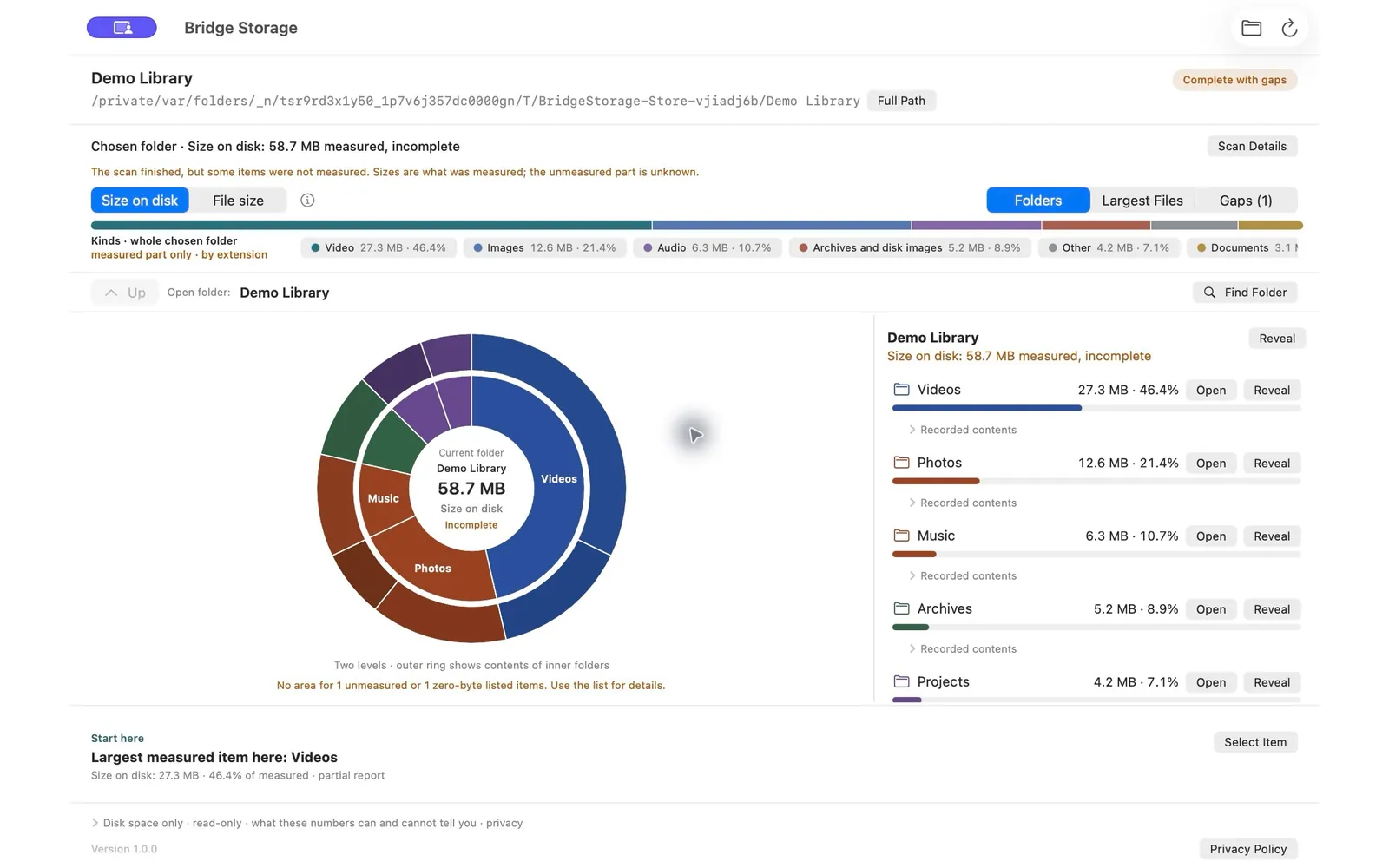
Choose one folder on your Mac. Bridge Storage measures it and shows which folders and files take up its space, on a clear map with a matching list. Your files stay exactly as they are.
Free. Requires macOS 14.0 or later and a Mac with Apple M1 chip or later.
How it works
- 01
Choose a folder
Pick one local folder with the Mac’s own folder picker, then press Scan. Choosing a folder does not start a scan on its own.
- 02
See what fills it
A two-level ring map and a matching list show the largest folders and files. Switch between File size and Size on disk, and open any subfolder.
- 03
Decide in Finder
When you are ready to act, reveal an item in Finder and decide there yourself. Bridge Storage only shows; it never deletes, moves or cleans files.
Inside the app
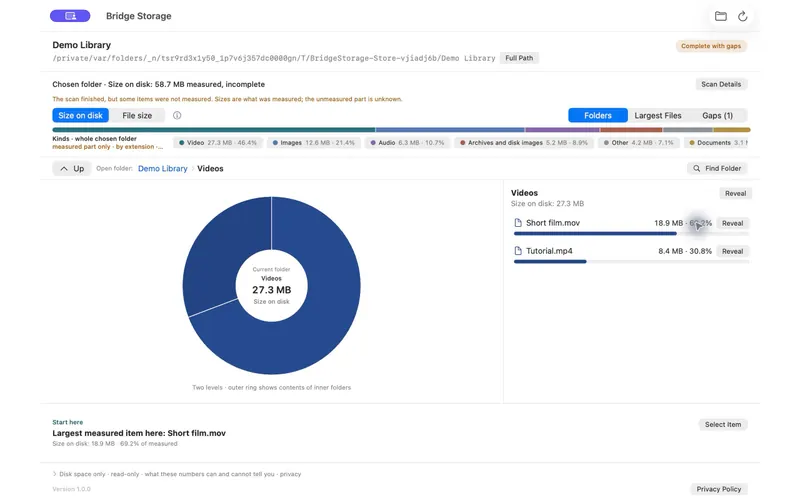
Open a subfolder to see what is inside it. 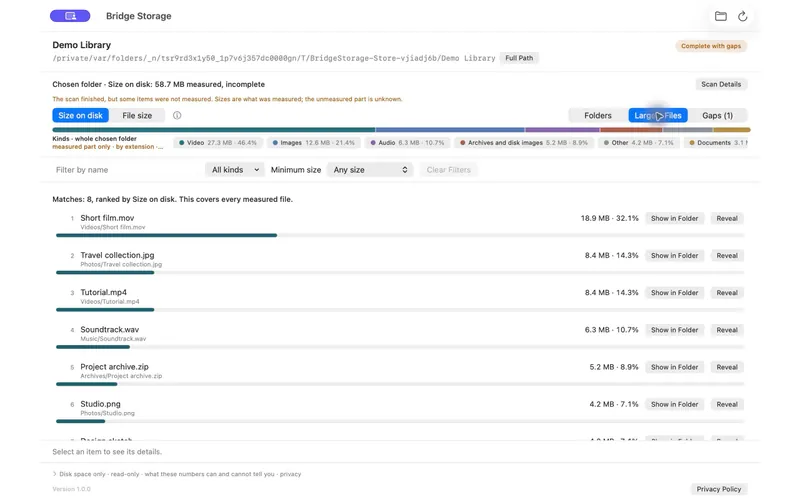
Largest Files ranks the biggest measured files. 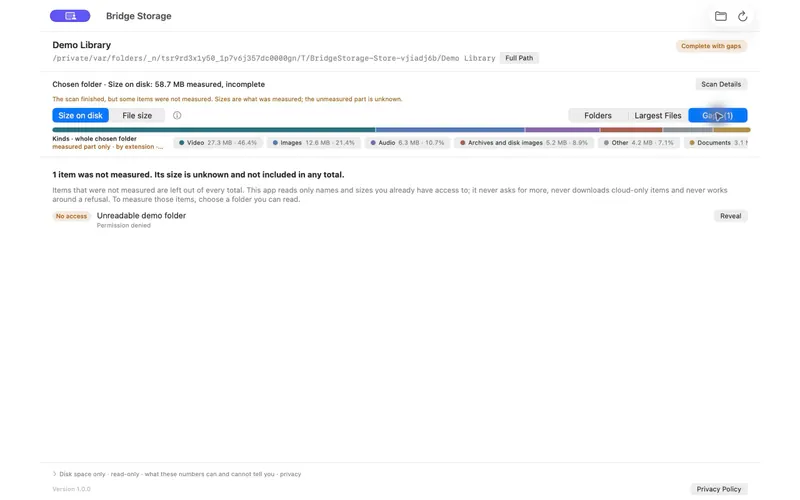
Gaps lists what could not be measured, instead of guessing.
Honest limits
One chosen local folder
It measures one folder at a time. It refuses the whole disk, volume roots, your entire home folder, network volumes and cloud storage locations.
Read-only metadata
It reads names, sizes and other file-system metadata. It never opens the contents of your files.
No deleting or cleaning
It never deletes, moves or changes your files. Anything you decide to do, you do yourself in Finder.
Measurements, not promises
Shared APFS data, snapshots and changing files mean the numbers are not a promise of how much space you could free.
Gaps, not guesses
Items it cannot read are listed as gaps and left out of every total, so an incomplete report says that it is incomplete.
Nothing leaves your Mac
No account, advertising, analytics or network access. Scan results stay in memory and are cleared when you quit the app.
Details
- Price
- Free
- Requirements
- macOS 14.0 or later and a Mac with Apple M1 chip or later
- Language
- English
- Developer
- Bridge HQ Ltd
Privacy
The same policy the app shows from its Help menu: your scan stays on your Mac.
Read the privacy policySupport
Use the contact page, choose Bridge Labs and mention Bridge Storage. Please do not send private files or complete folder paths.
Contact Bridge HQFree on the Mac App Store.
Download on the Mac App Store(opens another site)Free. Requires macOS 14.0 or later and a Mac with Apple M1 chip or later.